To ship a laptop, switch it fully off, leave the battery in, pack it in its original box inside a second box (or with at least two inches of padding on every side) and send it by a ground service. In the US that costs $13.75 to $34.55 at the Post Office for a 5 to 8 lb box, and UPS, FedEx and USPS all include $100 of cover.
When the laptop is coming back from someone who works from home, the shipping is usually easy, and returns tend to stall because the person doesn't have a box or a label and is starting a new job on Monday. So most of this guide is about taking those off their plate: packing, the battery rules, cost, cover, and how to send a return label they can use without a printer.
How do you pack a laptop so it arrives safely?
Pack a laptop in its original box and put that inside a bigger outer box, or, without the original box, wrap it and leave at least two inches of padding on every side of a sturdy box. Switch it fully off first and tape over the power button so it can't wake up in transit.
The carriers publish their own steps for laptops, and they mostly agree:
- Switch it fully off. UPS says to make sure it's "completely powered down", and not to take the battery out (UPS).
- Cover the power button with a patch of cardboard or electrical tape (same UPS page).
- Double box it. UPS and FedEx both suggest an outer box about six inches bigger than the inner one, and FedEx asks for three inches of packing material on all six sides (FedEx).
- No original box? UPS asks for at least two inches of filler, and anti-static foam or bubble wrap for electronics (UPS packaging tips).
- Tape it shut properly, with three strips of tape at least two inches wide across the seams (FedEx).
A padded envelope isn't enough, and for USPS it isn't allowed: a laptop's battery means the package has to be a rigid, sealed box. Wrap the charger separately so it can't knock against the lid.
Can you ship a laptop with the battery inside?
Yes. A laptop with its lithium-ion battery installed can go with UPS, FedEx and USPS, and a single laptop doesn't need a lithium battery label, as long as the battery is 100 watt-hours or less and isn't damaged or recalled. USPS is the exception: it only sends used laptops by ground.
The US rule behind all three allows up to 100 Wh per battery, and drops the marking requirement for two packages or fewer with no more than two batteries in equipment each (49 CFR 173.185). Each carrier adds a few rules of its own:
| Carrier | Ground | Air | Watch out for |
|---|---|---|---|
| UPS | Yes | Yes | Damaged, defective or recalled batteries can't go by air (UPS) |
| FedEx | Yes | Yes | FedEx Express won't take recalled or defective batteries, even inside a laptop (FedEx) |
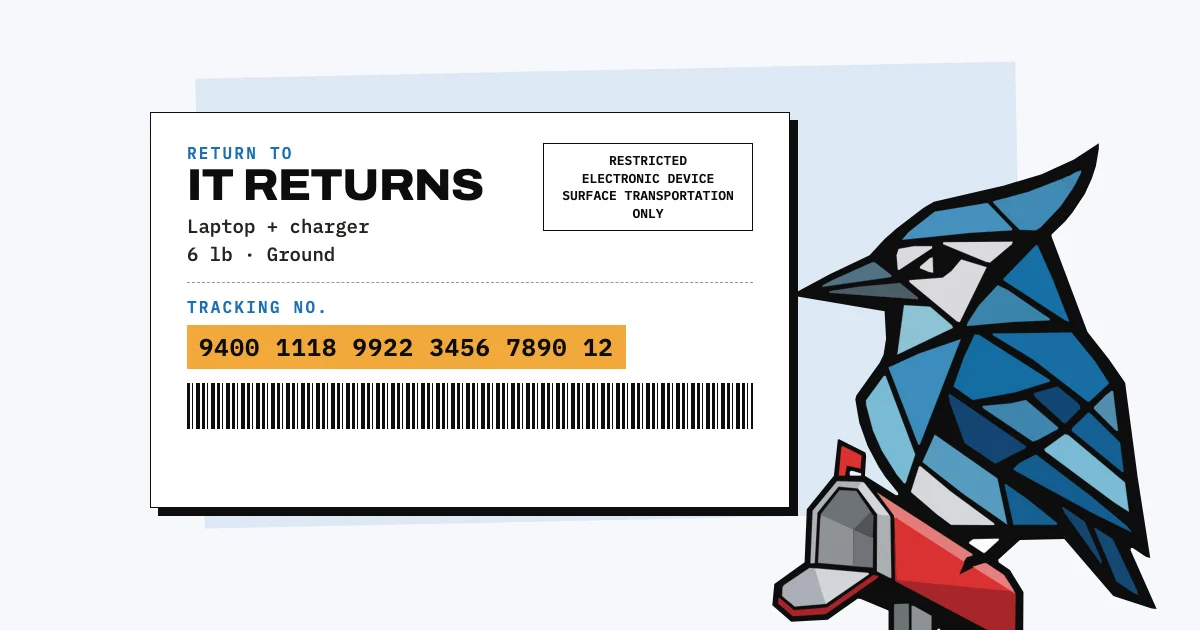
| USPS | Yes (Ground Advantage) | No, for a used laptop | Mark the box "Restricted Electronic Device" and "Surface Transportation Only" (USPS Publication 52) |
Publication 52 says "used, damaged, or defective electronic devices are prohibited from air transportation", and a laptop coming back from an employee is used, so it goes Ground Advantage rather than Priority Mail. Returns sent through USPS Parcel Return Service don't need the two markings.
How much does it cost to ship a laptop?
Shipping a laptop in the US costs $13.75 to $34.55 with USPS Ground Advantage at retail prices for a 5 to 8 lb box, depending on how far it travels (USPS prices from 4 October 2026). USPS's commercial prices, which many online postage services pass on, are lower, from $10.35. UPS and FedEx price by distance too, but they also charge by box size.
| USPS Ground Advantage | 5 lb | 8 lb |
|---|---|---|
| Retail (Post Office) | $13.75 to $27.45 | $15.40 to $34.55 |
| Commercial | $10.35 to $20.24 | $10.75 to $23.95 |
Source: USPS Notice 123. The low end is the nearest zone, the high end the furthest.
The box size thing catches people out with UPS and FedEx. Both bill the bigger of the real weight and the "dimensional weight", which is length times width times height divided by 139 (FedEx). A double-boxed laptop in a 20 × 14 × 6 inch box comes out at 13 lb, so you pay for 13 lb even if it weighs 6. USPS only does this for boxes over one cubic foot, which that box isn't. For exact prices, put your box into the UPS, FedEx or USPS calculator.
If you'd rather not handle it at all, retrieval services send the employee a box and a label. Retriever lists laptop returns from $95 (Retriever) and Remote Retrieval from $77 (Remote Retrieval); Workwize, Firstbase and GroWrk quote on request.
Is a laptop insured when you ship it?
UPS, FedEx and USPS each include $100 of cover in the price, which is less than almost any laptop is worth, so for a work laptop you'll want to declare its value (UPS, FedEx) or add insurance (USPS) when you buy the label.
UPS calls it declared value and charges for cover above $100 (UPS). FedEx works the same way, says plainly that declared value isn't insurance, and adds a direct signature for free once you declare $500 or more (FedEx). With USPS, Ground Advantage includes $100 and you can add insurance up to $5,000 (USPS).
A claim needs the value, so it helps to have the purchase receipt and the serial number on file before the laptop ships. If you don't know where the serial is, our guide to finding a laptop's serial number covers Mac, Windows and the label underneath.
How do you send a return label to a remote employee?
Create a prepaid return label in your UPS, FedEx or USPS account and email it to the employee, who either prints it or shows a QR code at a drop-off point and has the label printed there. That way you pay, and they don't need a printer or an account.
- UPS emails a return label and a mobile barcode, and participating UPS locations can print it from the barcode (UPS).
- FedEx can email the label, or a code they show at more than 10,000 FedEx Office, FedEx Ship Center and Walgreens locations (FedEx).
- USPS return labels from Click-N-Ship are only charged once used, but each one has to go with an outbound label and be used within 30 days of it (USPS). That suits a box you mail out to them, with the return label inside.
If they don't have a suitable box, it's usually easiest to send them one with the return label inside. Set a return date at the same time and put it in writing; our return of company property letter is a free template for that.
What should the employee do before sealing the box?
Before the box is sealed, the employee should sign out of their accounts, turn off Find My on a Mac, put the charger in, and send you a photo of the laptop's serial number label and the tracking number. Ask them not to erase it unless you've told them to, since you may need what's on it.
For a Mac, Apple says to turn it off "before you sell, give away, trade in, or service a device", and turning it off removes Activation Lock (Apple). Without that, the Mac stays tied to their Apple Account even after it's erased, and you can't set it up for the next person. Companies using Apple Business can lift the lock themselves, with conditions, which our post on tracking company laptops explains.
The photo of the serial label lets you check, before it ships, that the laptop in the box is the one on your records.
What should you record when the laptop ships and arrives?
Record the tracking number against the laptop on the day it ships, and when it arrives, check the serial number matches your records, note its condition and whether the charger came with it, and only then mark it as returned.
It sounds like a lot for one parcel, but it's the record you'll want if the box goes missing or the laptop arrives with a cracked screen, because a carrier claim and any conversation with the former employee both start from it. In AssetJay, starting someone's offboarding lists everything they still have, and you tick each item off as it comes back or mark it lost; without an app, our free offboarding checklist does the same job on paper. For laptops that don't come back, our post on what to do when an employee won't return a laptop covers the next steps, and our guide to tracking equipment for a remote team covers sending kit out in the first place.
Free: Equipment Offboarding Checklist
A printable checklist covering hardware, accounts, and data for when someone leaves the team. No signup needed.
Open tool