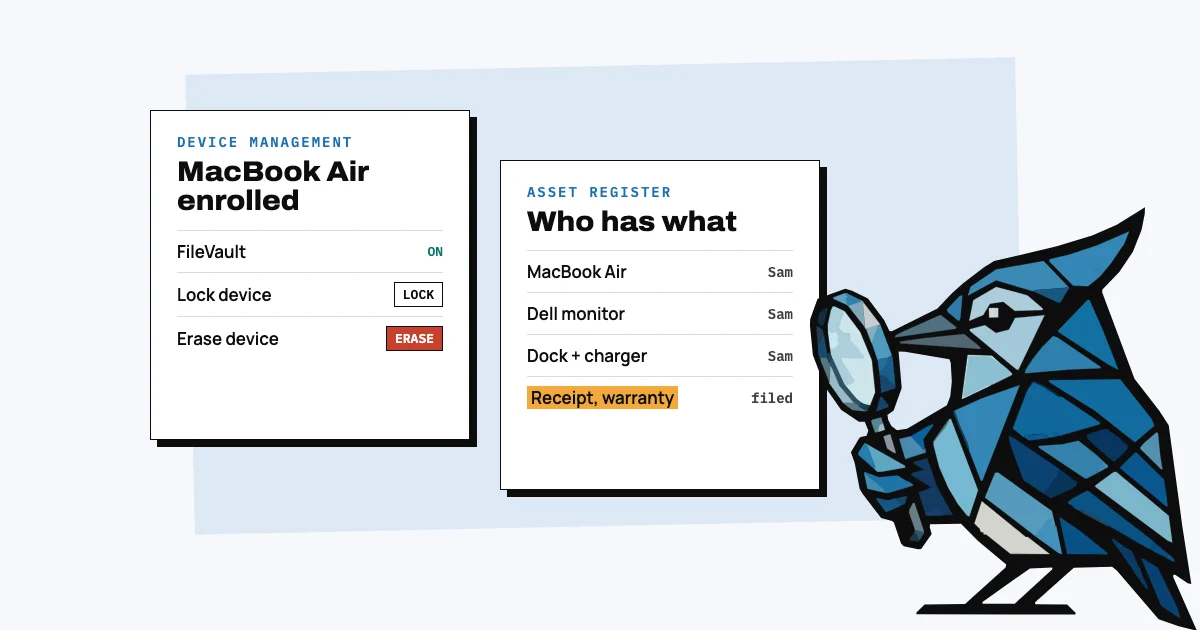
Most small businesses don't need MDM (mobile device management). Unless a customer, auditor or insurer actually requires you to manage your devices, what a small team would mostly use one for, keeping the data on a lost laptop safe, is largely handled by the disk encryption already built into Macs and Windows, plus a few habits. What a small business does need is an asset register, a record of what it owns and who has it, and the two are often confused but do different jobs.
Most of what you'll find when you search for this is written by companies that sell MDM, so the answer is usually yes. We make an asset register for teams without IT, so we're not neutral either. When I ran a smart home company of about 25 people with enterprise customers, we chose not to run an MDM. Here's what each tool does, what you give up without an MDM, and what it costs if someone does make you get one.
What does an MDM actually do?
An MDM sends commands and settings to company devices that have been enrolled in it: install apps, push Wi-Fi and security settings, require disk encryption, and lock or erase a device remotely. On a Mac, Apple's own list of MDM commands includes "Lock device", "Erase a device" and "Install an app" (Apple Platform Deployment), and an MDM can require FileVault encryption to be turned on when the Mac is first set up (Apple).
All of this only works on devices that have been enrolled. Apple describes these as commands "to manage enrolled Apple devices", so the company can't lock or wipe a laptop that was never added (Apple). That control is useful for an IT team running hundreds of devices, but a team of 20 probably won't use most of it.
What's the difference between MDM and an asset register?
An MDM controls devices: it changes their settings and can lock or erase them. An asset register records ownership: what the company bought, what it cost, who has it and what's still out when someone leaves. They answer different questions, so you can't use one in place of the other.
| MDM | Asset register | |
|---|---|---|
| What it's for | Controlling enrolled laptops and phones | Knowing what you own and who has it |
| Monitors, docks, chargers, headsets | No, they can't be enrolled | Yes |
| Purchase price, receipt, warranty date | Some have fields for it, typed in by hand, laptops and phones only | Yes |
| What a leaver still has | Only enrolled devices | Everything assigned to them |
| Lock or erase a device | Yes, if it was enrolled first | No |
| Who has to run it | Someone who sets policies and enrols every device | Whoever buys and hands out the kit |
For Microsoft's version, our post on Microsoft 365 and asset management goes through what Intune does and doesn't record.
What do you give up without an MDM?
Without an MDM the company can't reliably erase a lost laptop, enforce settings or set up new laptops automatically. For most small teams the things they'd miss are remote erase and knowing that every laptop is still encrypted and up to date, and disk encryption covers most of the first: a lost laptop with FileVault (Mac) or BitLocker (Windows) turned on and a decent password can't be read by whoever finds it.
FileVault encrypts a Mac's startup disk and keeps anyone from getting at the data "without entering your login password" (Apple). BitLocker encrypts whole drives on Windows Pro, Enterprise and Education, and Microsoft describes it as protection against data theft from "lost, stolen, or inappropriately decommissioned devices"; many Windows Home laptops have a simpler version called device encryption (Microsoft). Turning them on is a setting on each laptop, done once when you hand it out, so it's probably best to put it on your new-starter checklist. When you do, save the recovery key somewhere the company controls, like a shared password manager, not the employee's personal Apple or Microsoft account; on Windows, a laptop that only uses local accounts "remains unprotected even though the data is encrypted" until its key is backed up (same Microsoft page).
Without an MDM you're also trusting each laptop to stay encrypted and updated, so make that a routine: check FileVault or BitLocker and the OS version on each laptop once a quarter. And when someone leaves, shut off their Google or Microsoft 365 account and sign them out everywhere first, since that, more than wiping the laptop, is what stops a former employee getting at company data. That's usually enough for a small team, though it gets harder once a customer or auditor asks you to show it for every device.
Does a small business need MDM for SOC 2?
No. SOC 2 doesn't name MDM. The AICPA's criteria include a point of focus, under criterion CC6.7, that "processes are in place to protect mobile devices (such as laptops...)", and points of focus are guidance, not a checklist: the criteria don't "require an assessment of whether each point of focus is addressed" (AICPA Trust Services Criteria, 2017 with 2020 updates). You still have to show that laptops are protected somehow.
There's more than one way to show it: screenshots of disk encryption on each laptop the auditor samples, ideally from a check you repeat every quarter, or a compliance tool whose agent checks each laptop. A signed device policy helps, but on its own it only shows you have a rule. One compliance vendor describes a founder preparing for SOC 2 with its device agent checking the company's only laptop, and no MDM (Drata). The cyber insurance applications we read ask about encryption and multi-factor login, not MDM by name; Corvus, for instance, asks companies holding over a million personal records whether data on mobile devices is encrypted (Corvus application).
Why can most small businesses skip MDM?
Most small businesses can skip MDM because the risk it covers is mostly handled by encryption, and running one takes time that a company without IT doesn't have. Apple's own MDM is free now, so most of the cost is the time it takes to set up and look after.
Someone has to enrol each device, decide which settings to push, deal with a laptop that won't enrol, and keep it going while doing their actual job. In a small company that's usually a founder or office manager, and if it's only half set up, some laptops never get enrolled and can't be locked or wiped anyway.
The problem small teams do run into is losing track of kit, and a leaver is usually what makes it obvious. An IT person at a small company with 20 unmanaged phones, looking for a way to lock or wipe them, put it this way on Reddit: "It's been fine until someone left last month and just… kept the phone" (r/sysadmin, 2026).
Can MDM get a laptop back from someone who left?
No. An MDM can lock or erase a laptop someone kept, but only if it was enrolled before they left, and it can't make them post it back. Getting kit back comes down to knowing what that person has before their last day, asking for it early and making the return easy.
A register is what tells you what someone still has, and unreturned equipment is common: in a Capterra survey, 71% of HR professionals who had offboarded someone in the past year reported at least one item not coming back (Capterra, 2022). In AssetJay, starting someone's offboarding lists everything they still have, laptop, monitor, dock and charger, and you tick each item off as it comes back. Our posts on shipping a laptop back from a remote employee and when an employee won't return a laptop cover the rest.
There's one Mac problem you can run into without an MDM: if an employee turned on Find My with their own Apple Account, the Mac can stay locked to them. Ask them to turn off Find My before they hand it back; our post on tracking company laptops explains why.
When does a small business actually need MDM?
When someone outside the company requires it: a customer contract that names device management, an auditor who won't accept other evidence of encryption, or an insurer whose form asks for it. Until one of those happens, encryption on every laptop and a register of who has what probably cover what a small team needs.
If one does happen and your team is all Apple, start with Apple Business: since 14 April 2026 Apple describes it as "a free service" with "built-in mobile device management (MDM)" (Apple Newsroom), and Macs bought from Apple or a participating reseller show up in it and enrol themselves "from the moment someone removes a device from its box" (Apple). Macs bought elsewhere can be added with Apple Configurator for iPhone, which erases them first (Apple Business).
Which MDM should a small business use, and what does it cost?
If you're required to have one, these are the usual small-business options, with prices from each vendor's own page in November 2026:
| Option | Devices | Price |
|---|---|---|
| Apple Business, built-in MDM | Apple only | Free (Apple) |
| Mosyle Business | Apple only | Free for up to 30 devices, then from $1 a device a month, 30-device minimum, billed yearly (Mosyle) |
| Jamf Now | Apple only | Free for 3 devices, then from $4 a device a month, for teams under 25 people (Jamf) |
| Microsoft Intune, in Microsoft 365 Business Premium | Windows (Pro and up), Mac, phones | $22 per user a month, paid yearly (Microsoft) |
On Mosyle vs Jamf, which comes up a lot: for a small Mac team it usually comes down to price, since Mosyle's free tier covers 30 devices and Jamf Now's covers 3. If you already pay for Microsoft 365 Business Premium for email, Intune is included.
Whichever you pick, you'll still need a register, since an MDM doesn't track monitors, receipts or what a leaver still has. AssetJay is the register: you forward the receipt and the laptop is logged, it reminds you before warranties end, and when someone leaves it lists everything they still have. Our free offboarding checklist is a good place to start either way.
Free: Equipment Offboarding Checklist
A printable checklist covering hardware, accounts, and data for when someone leaves the team. No signup needed.
Open tool