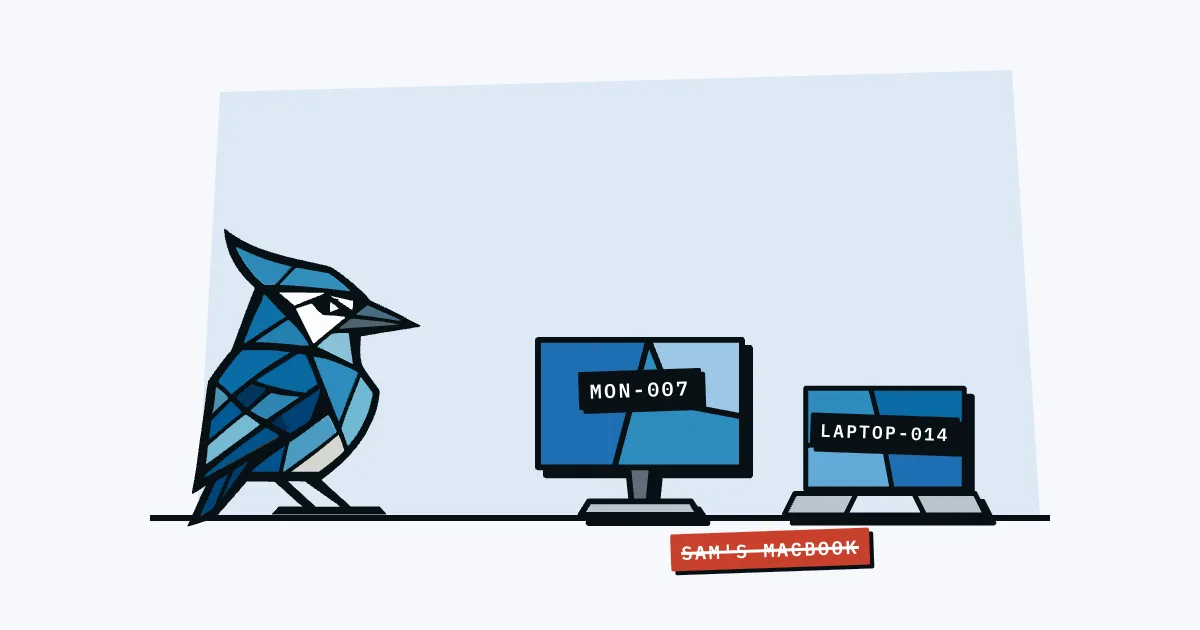
A good computer naming convention for a small business is short and boring: a company prefix, a device type code and a number, like NW-LT-014 for Northwind's fourteenth laptop. Use letters, numbers and hyphens only, keep it to 15 characters, and leave people's names out so the device can move to someone else without being renamed.
That's the whole convention, and it works the same whether you're naming a computer, a phone or a monitor. The rest of this post covers why each part is there, what to leave out, and how to rename devices on a Mac, a Windows PC and a phone.
Why name computers at all?
Naming computers gives every device a label you can say out loud, search for and match to a record. Without a convention you end up with whatever the setup screen picked: a Mac called "Ingrid's MacBook Air" or a Windows PC with a string of random characters. Both make it hard to tell devices apart and hard to keep your records straight.
The names show up in more places than you'd think. Apple says a Mac's computer name "identifies your computer on your local network", (Apple Support), and an iPhone's name is used by iCloud, AirDrop, Bluetooth, Personal Hotspot and your computer (Apple Support). So the name is what you see in your iCloud device list, in a Bluetooth pairing prompt and on the office network.
Microsoft also flags a security angle: its guide to renaming a Windows device says "default device names might provide hints about the device type or user, which could be a security risk" (Microsoft Support).
What should a computer name include?
A computer name for a small team needs three parts: who owns the device (the company), what kind of device it is, and a unique number. Anything more tends to go out of date, and anything less leaves you with clashes or a name that tells you nothing.
| Part | Example | Why it's there |
|---|---|---|
| Company prefix | NW | Tells you it's a company device, not someone's personal one on the Wi-Fi |
| Type code | LT | Tells you what it is without looking it up |
| Number | 014 | Makes it unique and lets you find the record |
Some type codes that cover most small offices:
| Code | Device |
|---|---|
LT | Laptop |
DT | Desktop |
PH | Phone |
TB | Tablet |
MN | Monitor |
DK | Docking station |
PR | Printer |
Pad the number to three or four digits (014, not 14) so names sort properly in lists. Use one number sequence across all device types rather than one per type, and you'll never have to ask "which laptop 14?".
Should the computer name match the asset tag?
Yes. The simplest convention is to make the computer name the same as the asset tag on the sticker, or the asset tag with a type code added. Then the name on the screen, the label on the lid and the row in your records all say the same thing, and nobody has to translate between them.
If your asset tags already look like NW-0042, you have two sensible options:
- Name equals tag: the laptop is called
NW-0042. Least to remember, nothing to keep in sync. - Tag plus type: the laptop is called
NW-LT-0042. Slightly longer, but you can tell it's a laptop from the name alone.
Pick one and stick with it. The number should come from the same place as the asset tag, whether that's a spreadsheet or a tool. In AssetJay, asset tags are your own sticker numbers: it suggests the next tag in sequence when you add an asset, prints the tag under the QR code on labels, and finds an asset by tag from Cmd+K search.
What should you leave out of a device name?
Leave out anything that changes or anything you wouldn't want a stranger on the same Wi-Fi to see. In practice that means four things:
- People's names. "Ingrid-Laptop" is wrong the day Ingrid leaves and the laptop goes to the next hire. Track who has a device in your records, not in its name. Microsoft's own warning about names hinting at the user applies here too.
- Job titles and departments.
CEO-LTorFINANCE-PCtells anyone scanning the network which machine is worth targeting. - Locations, unless devices never move. "London-Desk3" goes stale the first time someone hot-desks.
- Spaces and special characters. Microsoft's naming rules for Windows computers cap names at 15 characters and recommend sticking to A-Z, 0-9 and the hyphen (Microsoft Learn, updated 2026). Those characters come from RFC 1123, the 1989 internet standard for host names, so a name built from them works on Macs and network gear too.
Also avoid names made only of numbers. Microsoft notes that computers joined to a domain can't have all-numeric names, and 0042 on its own is easy to confuse with other numbers anyway.
Which naming scheme should you pick?
Here are five common schemes, with what each is good for. For a team without IT staff, the first two are usually enough.
| Scheme | Example | Good for | Watch out for |
|---|---|---|---|
| Prefix + number (same as asset tag) | NW-0042 | Teams that already label everything | Name doesn't say what the device is |
| Prefix + type + number | NW-LT-014 | Most small teams | Keep type codes in a short list everyone uses |
| Prefix + type + year + number | NW-LT26-014 | Planning replacements by age | Gets close to the 15-character limit fast |
| Prefix + site + type + number | NW-OSL-LT-014 | Several offices with local kit | Breaks when devices move between sites |
| Person's name | Ingrid-MacBook | Nothing, really | Must be renamed at every reassignment |
Fun themed names (planets, birds, cheeses) work for a handful of servers in a hobby setting. For staff laptops they stop scaling around the time you run out of planets, and they don't tell anyone anything.
How do you rename a computer on macOS and Windows?
Renaming takes under a minute on each platform. These are the current steps from Apple and Microsoft.
Mac (Apple Support):
- Choose Apple menu > System Settings, then click General.
- Click About.
- Select the current name and type the new one.
The Mac's local hostname (what Bonjour uses on the network, ending in .local) is set separately under General > Sharing > Local hostname > Edit. Set it to match.
Windows 11 (Microsoft Support):
- Open Settings and select System > About.
- Select Rename this PC.
- Enter the new name and select Next.
- Restart now or later. The new name applies after a restart.
iPhone (Apple Support): Settings > General > About > Name.
Android: the device name is usually under Settings > About phone, but the exact path differs between manufacturers.
If your devices are enrolled in a management tool such as Intune or Jamf, check that tool's documentation before renaming by hand, as it may keep its own name for each device.
What do other people on the network see?
Other people on the same network or within Bluetooth range can often see your device names. A Mac's computer name is how it identifies itself on the local network, and an iPhone's name is what shows up for AirDrop, Bluetooth and Personal Hotspot, according to the Apple pages linked above.
That's the practical reason to keep names neutral. A phone called "Ingrid Moss's iPhone" broadcasts a full name as a hotspot in a café or at a conference. A laptop called NW-LT-014 tells a stranger almost nothing, while still telling you exactly which record to open.
What about monitors and docks that can't be renamed?
Monitors, docks, keyboards and most accessories don't have a name you can change, so the convention lives on the label instead. Give them a number from the same sequence, put the asset tag sticker somewhere visible, and log them like any other asset. The MN or DK type code still helps in your records, even if the device itself never shows a name.
When should you rename a device?
Rename a device when it's set up, not when someone gets round to it. The natural moments are:
- When a new device arrives. Name it, label it and log it before it goes to anyone. Add it to your new hire equipment checklist so it happens every time.
- When you adopt a convention. Rename the existing fleet in one go during your next equipment audit, while you're touching every device anyway.
- When a device has a person's name in it. Fix it at the next reassignment, then never again, because the new name doesn't need to change.
If you follow the convention, reassigning a laptop means updating who has it in your records and nothing else. The name stays put.
How do you keep a naming convention going?
Write the convention down in one line, keep the type codes in a short list, and take the next number from your records, not from memory. An asset register with an asset tag column does this job: the next free number is always at the bottom of the list.
The convention only fails when two people pick numbers independently, or when someone names a device after themselves because nobody told them otherwise. One line in your onboarding notes, plus a label printed the day the device arrives, covers both.