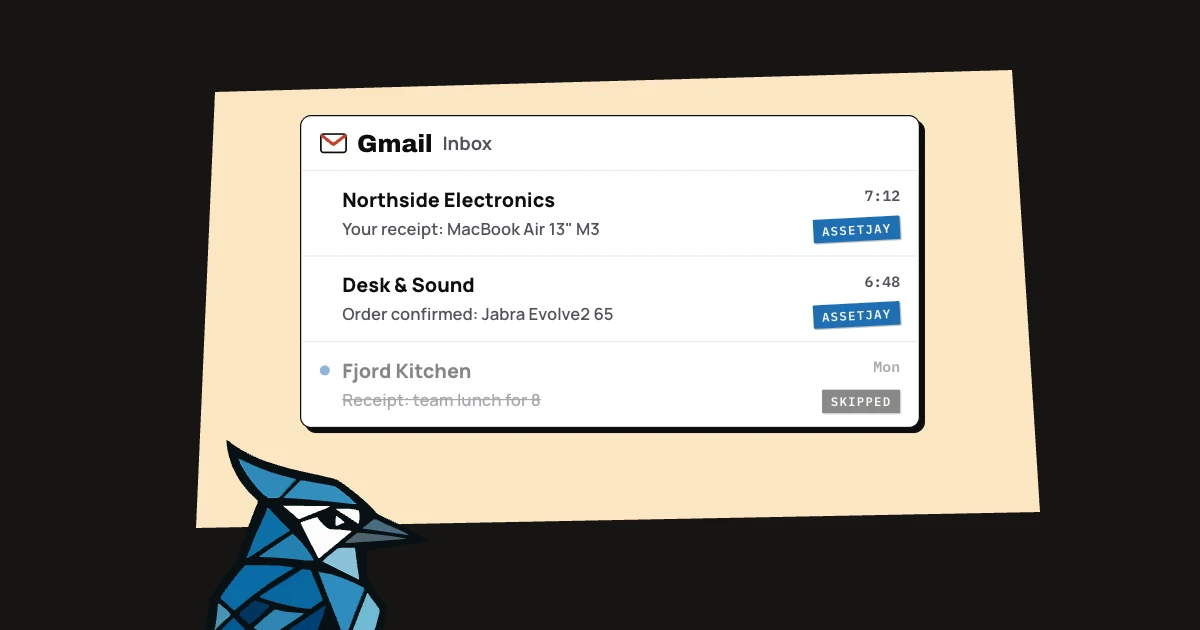
With the Gmail and AssetJay connectors in Claude and a scheduled task, Claude checks your Gmail every morning, adds any new equipment from receipts to AssetJay and labels each email it has handled. You set it up once by asking Claude in a chat. Your receipts already arrive in your inbox, but copying them anywhere useful is usually the step that gets skipped.
How can Claude add receipts from Gmail automatically?
Claude can do it with a scheduled task: a prompt that it runs on its own every day, using the connectors on your account. Each run searches Gmail for receipts and order confirmations it hasn't handled yet, adds the equipment to AssetJay with its make, model, price, vendor, purchase date and warranty, and skips anything that isn't equipment.
Without something like this, a purchase only gets recorded if whoever bought it remembers to do it, and when the receipt is in one person's inbox it tends to stay there. If you'd rather not use Claude for this, forwarding receipts to your AssetJay Inbox address does the same job, but someone still has to remember to forward them.
What do you need to set it up?
You need three things, and the first two take a minute each:
- AssetJay connected in Claude. Open AssetJay in the connector directory, click Connect and sign in as the account owner.
- Gmail connected in Claude. Add it from Claude's connectors as well.
- A paid Claude plan. Scheduled tasks come with Pro, Max, Team and Enterprise. They run in the cloud, so your computer can be off.
AssetJay's side is free for up to 25 assets. The integration docs have the same steps, and the guide to managing equipment with Claude covers everything else you can do once it's connected.
What should you ask Claude?
Ask Claude in a chat to do it every morning, and it will set up the scheduled task for you. This is the prompt I use:
“Every morning, check my Gmail for new receipts and add the equipment to AssetJay. Skip anything that isn't equipment. Put an AssetJay label on each email you've added, and skip emails that already have it. If you can't attach the receipt, forward the email to my AssetJay Inbox address.”
Before saving it, Claude asks a few questions. When I set mine up it asked how often to check (I picked once a day), which receipts should become assets (equipment only) and how to avoid adding the same receipt twice (label processed emails). Then it shows the task's name, schedule and instructions, and you save it.
The first time each run uses AssetJay or Gmail, Claude asks for permission. Choose Always allow, so later runs don't stop and wait for you.
How does it avoid adding the same receipt twice?
The label does it. Each run only looks at receipts from the last couple of days that don't have the AssetJay label yet, and once it has added a receipt's equipment it puts the label on that email. The next morning, those emails are skipped. You can also see in Gmail exactly which receipts have gone into AssetJay.
What happens to the PDF receipt?
Claude often can't pass a PDF attached to an email on to AssetJay, so the prompt tells it what to do instead: forward the email to your AssetJay Inbox address, which you'll find in Settings, Email Import.
AssetJay reads the forwarded receipt and makes a review card in your Inbox. Because Claude has already added the asset, the card finds it as a match, and clicking Update attaches the receipt and fills in any fields that were still empty. That one click is the only part you do by hand. Claude's morning check can also tell you when receipts are waiting in the Inbox.
What happens when a receipt has no warranty date?
AssetJay sets the warranty to one year from the purchase date and marks it as an estimate. The estimate label shows that the date is a guess until you change it. Warranty reminders still go out for estimated dates, so you get a reminder even when the receipt didn't give one. If the real warranty is longer, edit the date on the asset and the estimate label goes away. Our guide to warranty claims has more on finding the real dates.
What does a morning look like?
Say three receipts arrive on a Tuesday: a laptop, a headset and a team lunch. At 8:00 Claude finds all three, skips the lunch because it isn't equipment, and adds the laptop and the headset to AssetJay. Then it labels both emails. If one of the receipts was a PDF it couldn't attach, it forwards that email to the Inbox, and the next time you open AssetJay there's a card waiting with Update on it.
| Receipt | What Claude does |
|---|---|
| Laptop, PDF attached | Adds the asset, labels the email, forwards it for the PDF |
| Headset, receipt in the email | Adds the asset, labels the email |
| Team lunch | Skips it |
What are the limits?
This only works for receipts that arrive in Gmail, and only on a paid Claude plan. Claude can't delete anything in AssetJay, and every change it makes shows in your activity log. Each forwarded receipt uses one of the Inbox's monthly reads (10 on Free, 100 on Pro), while the assets Claude adds itself don't. And because Claude acts on what it reads in your email, look over what it added the first few mornings before you stop checking.