Looking for the quick version? See the AssetJay vs Snipe-IT comparison page.
If you're looking for an IT asset management tool, Snipe-IT and AssetJay both come up. They both help you track what your company owns and who has it, but they're built for very different audiences. This guide breaks down the differences so you can pick the right one for your team. If you are evaluating several options beyond just these two, the Snipe-IT alternative guide covers five tools matched to the most common reasons teams switch.
Snipe-IT Overview
Snipe-IT is an open-source IT asset management platform. It's been around since 2013 and is well-regarded in the IT community. The self-hosted version is free, and there's a cloud-hosted option starting around $39.99/month.
It covers a lot of ground: LDAP/Active Directory integration, a full REST API, custom fields, check-in/check-out workflows, depreciation tracking, software licence management, and detailed audit logs. If you run an IT department with sysadmins on staff, Snipe-IT gives you a lot of control.
AssetJay Overview
AssetJay is a cloud-based asset management tool built specifically for small teams that don't have an IT department. The biggest problem it solves is making it easy to keep track of everything: who has what equipment, which software licences are assigned, where the receipts are, and what needs to come back when someone leaves.
It's free for up to 25 assets, with a Pro plan at $24.99/month for up to 250 assets. There's no server to set up or configure, so you can sign up and start adding assets.
AssetJay vs Snipe-IT: Feature Comparison
| Feature | AssetJay | Snipe-IT |
|---|---|---|
| Target audience | Small teams, founders, office managers | IT departments, sysadmins |
| Setup | Sign up and start (cloud-only) | Self-host (requires server) or pay for cloud |
| Free tier | Up to 25 assets, free forever | Self-hosted is free (you pay for hosting) |
| Cloud pricing | $24.99/mo (up to 250 assets) | From ~$39.99/mo |
| Receipt & warranty tracking | Built-in, central to the product | Possible via file uploads, not a core focus |
| AI receipt extraction | Yes, drop a receipt and details auto-fill | No |
| Offboarding checklists | Built-in, auto-generated | Manual process via check-in |
| Software licence tracking | Yes | Yes, with advanced management |
| QR code labels | Yes | Yes (barcode and QR) |
| CSV import | Yes, drag and drop | Yes |
| LDAP / Active Directory | No | Yes |
| REST API | No public REST API (MCP server for Claude) | Yes, full API |
| Depreciation tracking | No | Yes |
| Custom fields | Yes (5 on Free, 15 on Pro) | Yes, extensive |
| Self-hosted option | No | Yes |
| Learning curve | Minimal, designed for non-technical users | Moderate to steep |
When to Choose Snipe-IT
Snipe-IT is the better choice if:
- You have an IT department or sysadmin who can manage the deployment.
- You need LDAP/Active Directory integration to sync with your directory.
- You need a REST API for integrating with other internal tools.
- You want to self-host for data sovereignty or compliance reasons.
- You need depreciation calculations for accounting.
In short, if you already have IT infrastructure and technical staff, Snipe-IT gives you more control and customisation.
When to Choose AssetJay
AssetJay is the better choice if:
- You don't have an IT department and need something anyone on the team can use.
- You want to be up and running today, not after configuring a server.
- You want one place to track hardware and software licences together, with receipts attached.
- Receipt and warranty tracking is a priority. You've lost money on warranty claims because you couldn't find the proof of purchase.
- You want AI to extract asset details from receipts and invoices automatically.
- You need offboarding checklists so equipment doesn't walk out the door when someone leaves.
- You don't need enterprise-grade features.
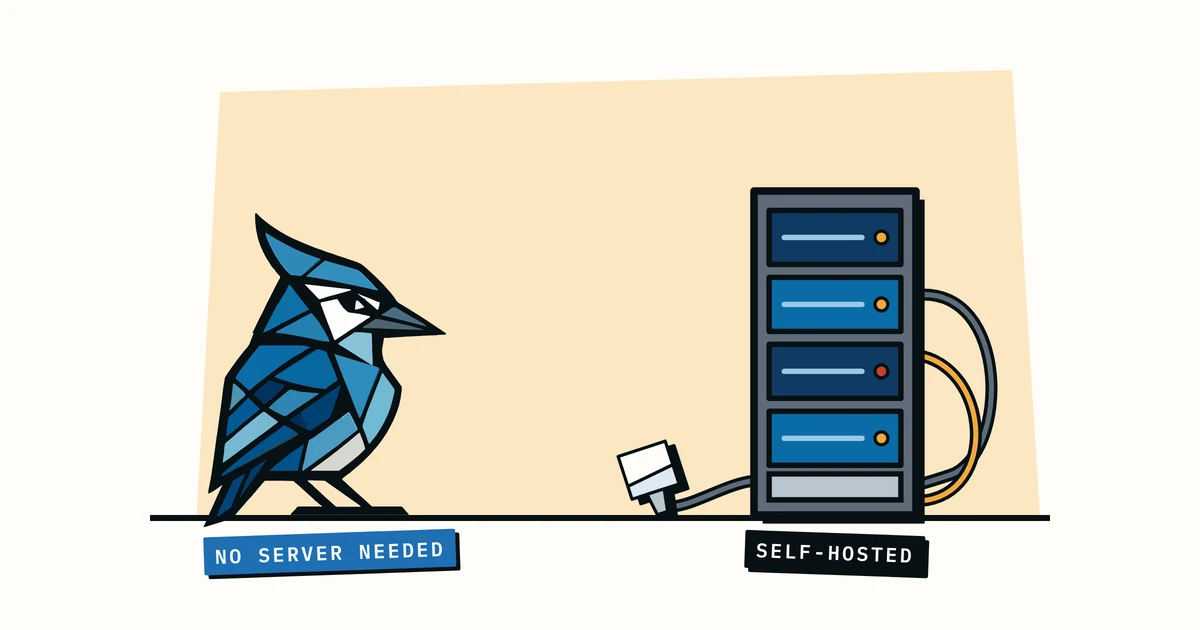
The Self-Hosting Question
Snipe-IT's biggest draw for many teams is that the self-hosted version is free. That's useful if you have someone to manage it.
Self-hosting means you need a server (or a VPS), you need to keep the software updated, handle backups, manage SSL certificates, and troubleshoot when something breaks. For a company with DevOps or a sysadmin, this is routine. For a 15-person company where the founder is the "IT person," it's a distraction from running the business. If you like what Snipe-IT does but want to skip the server management, we cover several options in our guide to best Snipe-IT alternatives.
With AssetJay there's no server for you to host or keep updated. You give up some of the flexibility of self-hosting, which I suspect most small teams won't miss.
What About Snipe-IT's Cloud Option?
Snipe-IT does offer a hosted cloud version, but it starts at a higher price point than AssetJay and still exposes the full complexity of the interface. The UI is designed for IT professionals: lots of menus, settings, and configuration options. That suits an IT admin, but it's a lot to wade through if you're an office manager who just needs to log a new laptop.
Frequently Asked Questions
Is Snipe-IT really free?
The self-hosted version of Snipe-IT is free and open source. However, you need your own server to run it, which costs money (typically $5-20/month for a VPS, plus your time to manage it). The Snipe-IT cloud-hosted version starts around $39.99/month.
Can I migrate from Snipe-IT to AssetJay?
Yes. Export your assets from Snipe-IT as a CSV file, then import that CSV directly into AssetJay. The import tool maps your columns to AssetJay fields automatically. Import your people first, and an "Assigned to" column in the asset file links each asset to the right person.
Does AssetJay work for large organisations?
AssetJay is designed for small teams with up to 250 assets on the Pro plan. If you have thousands of assets and need enterprise features like LDAP, API access, or depreciation tracking, Snipe-IT or a dedicated enterprise tool is a better fit.
Can AssetJay track software licences?
Yes. AssetJay tracks software licences alongside your hardware assets, with the licence key, renewal date and seat count on each one, so you have a complete picture of what your team is using in one place. Snipe-IT goes further on licence management, with per-seat checkout and expiry alerts.
Which is easier to set up?
AssetJay. You sign up, add your first asset, and you're tracking. There's no server to set up and you don't need any technical knowledge. Snipe-IT's self-hosted version requires a LAMP/LEMP stack, Composer, and familiarity with server administration. The cloud version requires less setup but still has a steeper learning curve in the UI. If you're currently managing equipment in a spreadsheet and wondering whether either tool is worth the switch, see our AssetJay vs spreadsheets comparison.
The Bottom Line
Snipe-IT and AssetJay solve the same problem for different audiences. Snipe-IT suits teams with IT expertise who want a lot of configuration and control, while AssetJay is simpler and aimed at teams that don't have that expertise.
If you're a small team that needs to keep track of equipment and software licences, attach receipts, and handle offboarding, and you don't want to manage a server or learn an enterprise UI, AssetJay is probably the better fit. Start free and see if it fits. And if you're still exploring options, check out our roundup of the best equipment tracking tools for small teams.